

Introduction
Sending an invoice might seem easy, but a small mistake can cause a big problem. Imagine you send an invoice, and after a few weeks later you realise that a simple mistake confused your client, which caused a delay in your payment. This simple mistake turns into costly problems, damaging your client relationships, and your business might look unprofessional.
What if you could avoid these common mistakes and get paid faster? So let’s discuss the 10 most common invoicing mistakes and ways to avoid them by using invoicing software. This blog will help you keep your business professional and clients happy, so you can get paid on time.
Common mistakes
1. Missing or incorrect information
Many businesses create invoices in a hurry and mistakenly leave out important details such as customer name, address, invoice date, item description, tax breakup or terms. Sometimes, incorrect details are wrong spelling, wrong quantity or missing GST breakdown. These mistakes make the invoice incomplete and lead to:
- Delays in customer approval
- Payment disagreement
- Rejection during audit
- Issues in GST return filing
2. Unbranded Invoices
Many businesses send plain invoices without their logo, brand colours, contact details or signature. Unbranded invoices look generic and reduce brand presentation. Clients may struggle to identify which invoice came from whom, as it shows poor brand identity and lower trust and professionalism
3. Using a wrong or invalid GSTIN
GSTIN must match the customer’s registered details exactly. A single incorrect digit, mistyped character or outdated GSTIN can make an invoice invalid. This is mostly problematic for B2B customers because they cannot claim Input Tax Credit (ITC) without a correct GSTIN. Most GSTIN errors happen because they don’t use tools like invoicing software and do manual entry. These mistakes can cause
- Rejected ITC claims for customers
- GSTR-1 and GSTR-3b mismatches
- E-invoice or E-way bill rejection
4. Unclear payment terms
Many invoices do not clearly specify payment due date, payment method, late fee, early payment discounts or bank details. When terms are unclear or missing, customers may delay payment because they do not know the due date, which causes:
- Unpredictable cash flow
- More follow-up work
- Confusion between the client and the supplier
5. Applying incorrect GST rates
GST rates differ across categories 5%, 12%, 18% and 28%. Using the wrong GST rate is one of the most frequent invoicing mistakes. It mostly happens when products /services are entered manually, and GST rates have recently changed. Correct GST rate application is important for accurate tax reporting. If a business sells a wide variety of items, adding incorrect GST rates can cause
- Overcharging or undercharging customers
- Additional credit/debit notes
- GST liabilities during filings
- Compliance issues in audits
6. No reminders
Businesses assume customers will pay on time once the invoice is sent. But clients may forget, overlook an invoice or lose track of due dates, which become
- Delayed cash flow
- Time-consuming manual follow-ups
- Difficulty in financial planning
7. Inconsistent invoicing
Some businesses don’t send invoices on time; they wait days or even weeks. This inconsistency affects cash flow and creates trouble, like:
- Late payments
- Difficulty in managing expenses
- Confused customers
- Poor revenue visibility
8. Wrong or Missing HSN/SAC codes
HSN (for goods) and SAC (for services) codes are mandatory under GST. Missing or incorrect codes make classification errors. Many businesses use outdated lists or choose random codes to fill invoice quickly. Which creates:
- Errors in GSTR
- ITC problems for customers
- Notices during audits
- Incorrect GST rate selection
9. Calculation errors
Manual invoices make mistakes in calculating taxable values, discount percentages, GST totals and rounding off figures. Even a small decimal error creates major problems during GST reconciliation. These errors cause
- Customer disputes
- Incorrect GSTR-1 auto-population
- Payment delays
- Wrong tax reporting
10. No backup of invoices
Many businesses store invoices only on their laptop, desktops or paper copies. When data gets deleted or lost, they cannot recover past invoices and leads to,
- Missing records during audits
- Difficulty in GST return filing
- Payment disputes with clients
- Loss of financial history
How to avoid these invoicing mistakes using our invoicing software
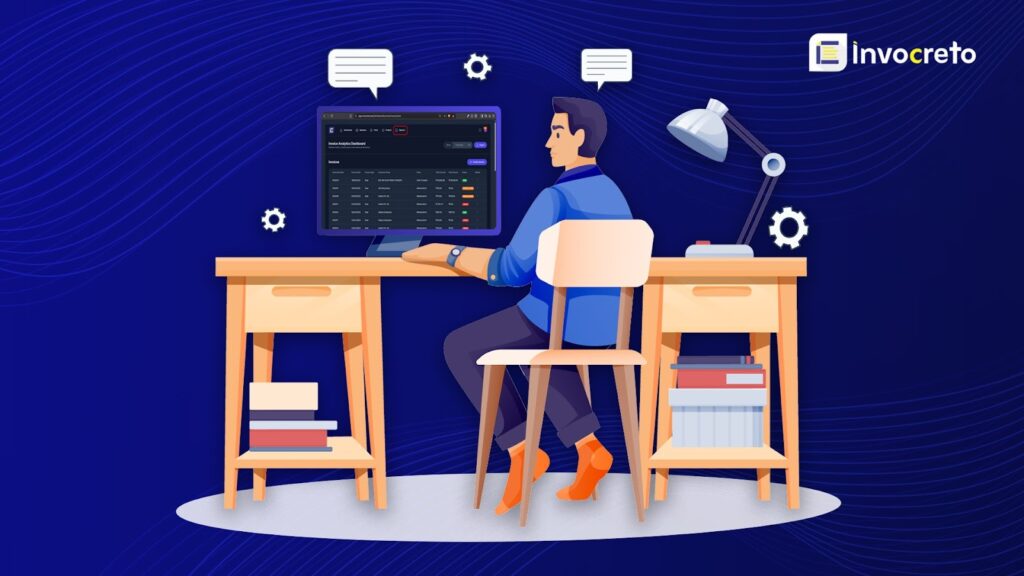
Creating and managing invoices manually causes errors, delays and compliance issues. Our invoicing software is designed to automate your entire invoicing process and prevent every mistake that usually slows down your business. With advanced GST features and smart automation, the software makes accurate, professional invoices every single time.
1. Prevents missing or incorrect information
Many businesses forget important details, but our software makes sure your invoices are always correct.
- Pre-built GST-compliant templates contain every mandatory field.
- Smart validation alerts you if any important detail is missing
- Auto-fill features save customer information, item details and billing addresses.
- Real-time checks prevent incorrect entries like wrong dates or mismatches in amounts.
2. Auto-validates GSTIN
- Verify GSTIN directly from the GST database
- Highlights invalid or inactive GSTINs
- Avoids errors during e-invoicing generation and ITC claim processes
3. Clear, consistent payment terms on every invoice
- You can add payment terms to all your invoices
- Due dates, payment deadlines and accepted payment methods remove any confusion
- Shows late payment penalties and early payment discounts clearly
- You can include bank or payment details inside the invoice
4. Correct GST rate
- Automatically applies the correct rate during billing
- Updates the GST rate changes instantly across all future invoices
- Prevents overcharging or undercharging customers
- Accurate taxes help smoother returns and zero compliance stress
5. Sends automatic payment reminders
- Reminders before due dates
- Alerts on due dates
- Follow-up reminders for overdue invoices
Invoicing software features reduce manual work, improve cash flow
6. Generates branded and professional invoices
- Custom invoice templates
- You can add your logo, brand colours
- Professional font and layout
- Footer with your contact details, terms & conditions and signature
7. Keeps your invoicing fast and organised
- Instant invoice creation
- Real-time PDF generation
- Share your invoice in just a few clicks. Share invoices by email or share on the daily use app WhatsApp.
- Organised invoice history and tracking
8. Correct HSN//SAC codes
- Auto-applying correct codes to every new invoice
- Checks for missing or invalid HSN/SAC entries
9. Accurate calculation
- Automatically calculating item totals, tax amount, discounts and GST
- Making sure of GST totals match
- Reducing human errors to zero
10. Provides secure cloud backup for all invoices
- Automatic cloud backups
- Access from any device (mobile, laptop, tablet)
- An organised report helps in audits or GST filings
Benefits of using our software
1. Effortless and quick invoice creation
Our invoicing software is specifically designed to reduce the complexity and effort spent on generating bills
- Speed and simplicity: You can create fully professional, accurate invoices in just a few clicks in seconds. Our system is simple; you don’t need to do complicated setups or have technical knowledge, so anyone can use it immediately.
- Ready to go forms: To start, simply choose the invoice template you like, add the service or product you are billing for, enter the basic required details and the software instantly formats and prepares your invoice. This quick process allows you to spend less time on creating invoices and more time on your actual business work
2. Complete compliance with Tax Regulations (GST)
A major advantage of using our system is that it makes your business fully compliant with all necessary government tax rules, like Goods and Services Tax (GST), without requiring manual effort. Every invoice you create is automatically formatted to perfectly match the official tax invoice standards.
3. Smart customer and client management
The platform offers simple and reliable system for managing your customers and keeping all important client information securely organized in one location. You can maintain complete and structured records for all your customers. Keeping important client details easily accessible helps you build better business relationships and an organised business.
4. Effective tracking of all payments and accounts
Our system provides a clear, real-time report of your company’s cash flow by tracking the status of every payment related to your bills.
- Status Monitoring: The software makes it simple to monitor every invoice, whether it has been fully paid, is currently pending transfer or is overdue. This keeps your records perfectly up-to-date.
- Improving cash flow: By tracking unpaid invoices and highlighting overdue payments, the system helps you to follow up on time, helping your business receive money faster and maintaining a steady, predictable flow of cash.
5. Advanced digital sharing and accessibility
The invoicing software makes the final step-sending an invoice to your client, fast and simple, and provides accessibility from any device
- Instant sharing method: You don’t need to print, download or copy anything. You can instantly share final, professional invoices with your clients through popular digital communication methods like email and WhatsApp, directly from within the application.
- Access anywhere: As a cloud-based and cross-platform solution, the system supports various devices. This means you can manage your billing, create new invoices and track payments from a desktop computer, laptop or your mobile phone, which keeps your business running smoothly no matter where you are located.
6. Powerful tools for handling multiple clients
Invocreto online invoicing software system is built as a robust and modern platform capable of handling the increasing demands of a growing business that deals with many customers or clients
- Streamlined workflow: It is specifically designed to simplify complex tasks, such as managing billing, invoicing and tax compliance for a large number of different clients all at once. Platform transforms the way you work, making complicated tasks easy.
- Advanced tools: This powerful software makes smooth and continuous operations, also it provides many free tools like GST calculator, tally XML converter, free invoice templates, and more, so you don’t need to waste time searching for tools. Our software is a single reliable place for all your financial documentation and management needs.
7. Data insights powered by smart technology (AI)
Not just a basic billing tool, it’s advanced invoice software that uses smart technology such as Artificial Intelligence (AI) and Machine Learning (ML) to offer valuable insights into your company’s finances.
- Smarter Reporting: The system analyses your invoicing and billing data to create detailed, AI-powered reports. This provides you with clear and simple information on complex data, helping you make smarter, evidence-based decisions about your business strategy.
- Future planning: By machine learning, software can predict important business elements. This helps you to plan your finances better and manage your resources more strongly.
Final Thoughts
Most errors happen because of manual work, missing information or poor follow-up. With the right tool, you can make your entire billing process smoother with clear payment terms, accurate details and timely invoicing, all help you get faster and build better relationships with your customers.
Avoid invoicing mistakes with invocreto invoicing software. It takes care of tasks that usually cause delays or errors, like generating invoice numbers, adding taxes, calculating totals and sending reminders. Everything stays organised in one place, so you never lose track of payments or documents. You also get professional-looking invoices that give your customers strong and trustworthy impression of your business. If you’re a freelancer, small business owner or growing company, our invoicing software helps you stay organised and keep your business running and growing.
FAQ’s
- Why do invoicing mistakes happen so often?
Invoicing mistakes usually happen because of manual typing, missing details, unclear payment terms or forgetting to follow up. Many businesses handle invoices in a rush, which increases the chance of errors. - How can an invoicing mistake affect my business?
Mistakes can delay payments, confuse customers and create disagreement. Over time, this can affect your cash flow and make your business look unprofessional. - Is Invocreto software easy to use for beginners?
Absolutely yes! It’s designed with simple buttons, clean layouts, and easy-to-understand features. You don’t need any technical or accounting knowledge to use it. - Will my invoices look professional?
Yes. Our online Invoicing software includes ready-made, clean and modern templates. You can add a logo, colours and business details to create professional-looking invoices. Also, we offer professional free invoice templates which help to create an invoice easily without worrying about the budget. - Is my invoicing data safe?
Yes. All your data is stored securely with encryption and regular backups to keep your information protected. - Can I access my invoices from anywhere?
Yes. Our online invoicing software is a cloud-based system, so you can use it from a phone, tablet or computer anytime, anywhere.

No comments yet